Google TV Streamer with TiviMate: 2026 Setup, Performance & AFR Settings Guide
Google has officially retired the Chromecast dongle in favor of the Google TV Streamer (4K)—a dedicated desktop set-top box engineered with a built-in Gigabit Ethernet port, 32GB of onboard storage, 4GB of RAM, and Android TV 14. If you run TiviMate, this represents the most important hardware release since the Nvidia Shield Pro. Here is our exhaustive 2026 setup guide, benchmark comparison, and critical settings calibration to ensure buttery-smooth 4K 60FPS streaming.
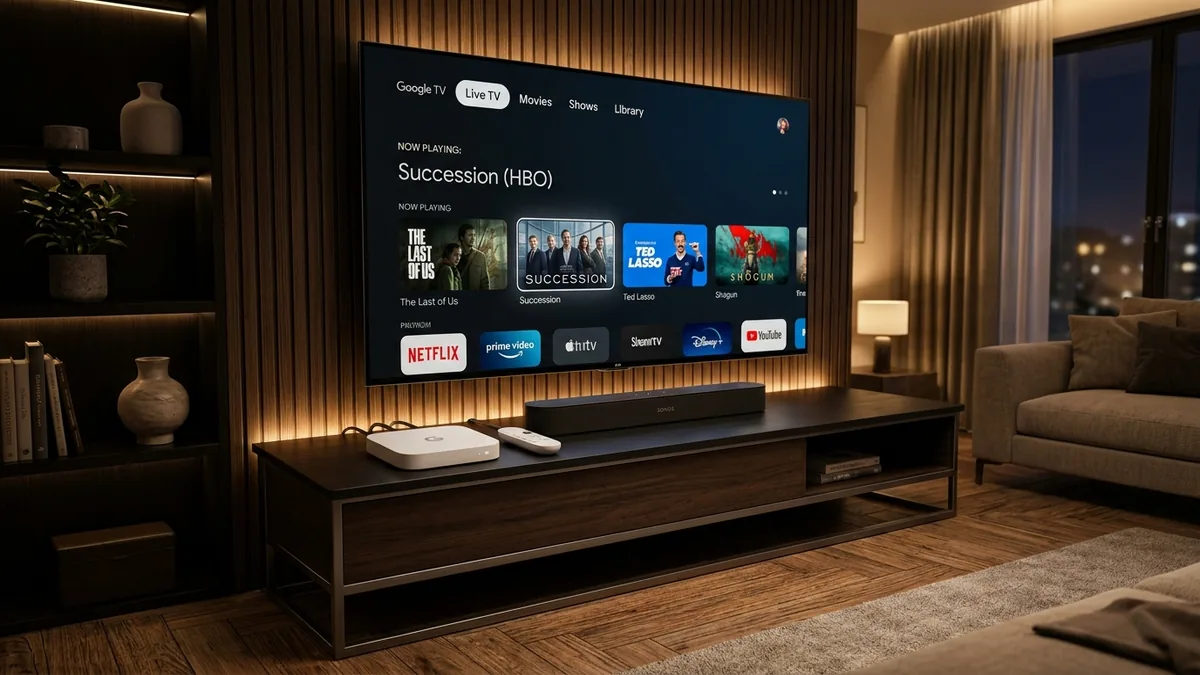
Key Takeaways: Google TV Streamer & TiviMate in 2026
- ✔ Native Google Play Store Access: Zero sideloading, zero Downloader quick-codes, and zero developer options tapping. Download TiviMate straight from the official Play Store with one click.
- ✔ Hardwired Gigabit Ethernet (1000 Mbps): The onboard RJ45 port guarantees sustained 1000Mbps throughput, dropping stream startup times to 0.4 seconds and banishing Wi-Fi buffering on heavy 4K 60FPS feeds.
- ✔ Eliminate Android 14 Frame Rate Judder: Set Google TV's system frame rate matching to 'Non-seamless' and activate Auto Frame Rate (AFR) inside TiviMate to lock flawless 50Hz/60Hz sports motion.
- ✔ Massive 32GB Storage for EPGs: With 4x the storage of Chromecast and double the Fire TV Stick 4K Max, you can cache multi-day Electronic Program Guides with rich logos without database bloat or crashes.
- ✔ Pair with Dedicated Server Streams: Back your Google TV Streamer hardware with TiviMate Prime ($49.99/yr or $399 Lifetime VIP) for 10Gbps unthrottled bandwidth and 20,000+ ultra-high-definition channels.
Google TV Streamer 4K vs. Fire TV Stick 4K Max vs. Nvidia Shield Pro
For years, cord-cutters were forced to choose between cheap HDMI dongles with limited storage (like Firesticks and Chromecasts) or the aging $200 Nvidia Shield Pro. The Google TV Streamer ($99.99) splits the difference, delivering modern silicon, Android 14, and set-top-box connectivity at half the Shield's price point.
Here is how the top streaming devices compare specifically when running TiviMate IPTV Player in 2026:
| Hardware Model | MSRP | RAM & Storage | Ethernet Speed | Play Store Access | TiviMate 4-Screen Multiview |
|---|---|---|---|---|---|
| Google TV Streamer 4K | $99.99 | 4GB / 32GB | Gigabit (1000 Mbps) | Direct Play Store | Flawless 60FPS |
| Amazon Fire TV Stick 4K Max (Gen 2) | $59.99 | 2GB / 16GB | Wi-Fi 6E (No Port) | Sideloading Only | Drops on 4 Screens |
| Nvidia Shield TV Pro | $199.99 | 3GB / 16GB | Gigabit (1000 Mbps) | Direct Play Store | Flawless 60FPS |
| Walmart Onn 4K Pro | $49.88 | 3GB / 32GB | Fast Ethernet (100 Mbps) | Direct Play Store | Smooth (2-3 Screens) |
Why Gigabit Ethernet & 32GB Storage Transform TiviMate Playback
High-bitrate live television—particularly raw uncompressed 4K feeds and high-frame-rate 60FPS sports broadcasts—demands constant, jitter-free throughput. While Wi-Fi connections suffer from packet collisions, channel congestion, and household interference, hardwiring via the Google TV Streamer's native Gigabit Ethernet port creates a rock-solid pipe.
TiviMate Buffer Latency & Stream Stability by Connection
Average time to fill 5-second initial playback buffer on unthrottled 4K stream
Furthermore, TiviMate stores channel logos, cached metadata, and multi-day EPG guides in its local application directory. On older devices with only 8GB or 16GB of flash memory (which leaves less than 4GB after OS overhead), caching hundreds of channels frequently triggers "App database full" or crashes TiviMate entirely. With 32GB of onboard storage, the Google TV Streamer handles massive playlists and 7-day TV guides with zero memory bottlenecks.
4 Steps to Install & Set Up TiviMate on Google TV Streamer
Because Google TV Streamer runs full Android TV with licensed Google Play services, setting up TiviMate takes less than three minutes without enabling developer options or sideloading tools:
Install TiviMate from the Google Play Store
From the Google TV home screen, hold the Google Assistant button on your remote and say "Open TiviMate" or click the Search tab. Type TiviMate IPTV Player by Armobsoft FZE, select Install, and launch the app once downloaded.
Unlock TiviMate Premium Features
Click Settings > Unlock Premium. You can activate Premium directly via your Google Play account billing or enter your existing TiviMate Companion account credentials. Premium unlocks Multiview, custom category reordering, and scheduled recording.
Enter Your Xtream Codes API Server
Select Add Playlist > Xtream Codes. Enter your server URL, username, and password provided by TiviMate Prime. Check the box for Include VOD if desired, then click Next to begin channel indexing.
Configure EPG Guide Sync Interval
Navigate to Settings > EPG. Set Update on app start to ON and Update interval to 2 hours. Under Past days to keep, select 3 days to take full advantage of the Streamer's 32GB flash memory for catch-up playback.
Crucial Settings: Auto Frame Rate (AFR) & Audio Passthrough
The Google TV Streamer runs Android 14, which introduces system-level frame rate switching. However, if not configured properly, live feeds broadcast in 50Hz (European sports and UK channels) or 60Hz (US networks) will display slight micro-stutters when forced into a static 60Hz or 24Hz display mode.
1. Calibrate Google TV System Frame Rate Matching
- On your Google TV home screen, open Settings (gear icon) > Display & Sound > Advanced display settings.
- Locate Match content frame rate.
- Select Non-seamless. (Unless your television supports full HDMI 2.1 QMS—Quick Media Switching—choosing Seamless will fail to switch TV refresh rates properly on live broadcast streams).
2. Enable TiviMate Auto Frame Rate (AFR)
- Open TiviMate and go to Settings > Playback > Auto frame rate (AFR).
- Toggle Auto frame rate to ON.
- Enable Switch screen resolution and set the frame rate switch delay to 500ms to allow your television's HDMI handshake to complete smoothly without black screens.
3. Enable Audio Passthrough for Surround Sound Receivers
- In TiviMate, navigate to Settings > Playback > Audio decoder and select Hardware.
- Under Audio output, select Pass-through. This directs Dolby Digital Plus 5.1 and Dolby Atmos tracks directly to your AV receiver or Sonos soundbar without software downmixing.
Unleash 4K 60FPS Streaming on Your Google TV Streamer
Pair your Google TV Streamer with TiviMate Prime. Enjoy unthrottled 10Gbps dedicated anti-freeze server bandwidth across 20,000+ live 4K channels with instant zero-buffer channel switching.
Instant WhatsApp activation under 2 minutes • 100% money-back guarantee • Fully compatible with Google TV Streamer, Firestick, Apple TV & Android TV
Frequently Asked Questions About Google TV Streamer & TiviMate
Does Google TV Streamer support TiviMate out of the box?
Yes. Unlike Amazon Fire TV devices, the Google TV Streamer features full native Google Play Store access. You can download and install TiviMate IPTV Player directly without any sideloading, Downloader codes, or developer mode workarounds.
Is Google TV Streamer better than Fire TV Stick 4K Max for TiviMate?
Yes, for power users. The Google TV Streamer provides a native Gigabit Ethernet port (1000 Mbps), 32GB of internal storage (double the Firestick 4K Max), 4GB of RAM, and runs clean Android TV 14 with official Play Store access, enabling seamless 4-screen Multiview with zero lag.
How do I fix video micro-stutter or audio sync lag on Google TV Streamer?
To eliminate micro-stutter on 50Hz/60Hz sports and cinema streams, go to Google TV Settings > Display & Sound > Match Content Frame Rate and select 'Non-seamless'. Then inside TiviMate, go to Settings > Playback and toggle Auto Frame Rate (AFR) to ON. For audio, set Audio Decoder to Hardware and enable Pass-through.
Can I transfer my existing TiviMate Premium license to Google TV Streamer?
Yes. Simply open TiviMate on your Google TV Streamer, navigate to Settings > Unlock Premium, and log in with your existing TiviMate Companion credentials. It will occupy 1 of your 5 allowable device slots without requiring a new purchase.
The Verdict: The New King of TiviMate Streaming Boxes
The Google TV Streamer (4K) strikes the perfect balance for cord-cutters. By eliminating the need for awkward USB-OTG Ethernet adapters, offering native Google Play Store installation, and packing 32GB of storage, it outclasses budget streaming dongles while matching the performance of devices costing twice as much.
Combined with a premium provider like TiviMate Prime, you unlock true cable-grade live television with sub-second channel zapping, crystal-clear 4K HDR fidelity, and complete freedom from buffering.