Can You Still Sideload on Firestick in 2026? Amazon Vega OS & TiviMate Setup Guide
Rumors and headlines have flooded Reddit, cord-cutting forums, and YouTube: "Amazon is killing Android!" "Firestick sideloading is dead!" With Amazon introducing its Linux-based Vega operating system, millions of streaming users are worried that their favorite players—most notably TiviMate—will stop working. Here is the objective truth about Firestick sideloading in 2026 and the exact steps to keep your streaming setup running flawlessly.
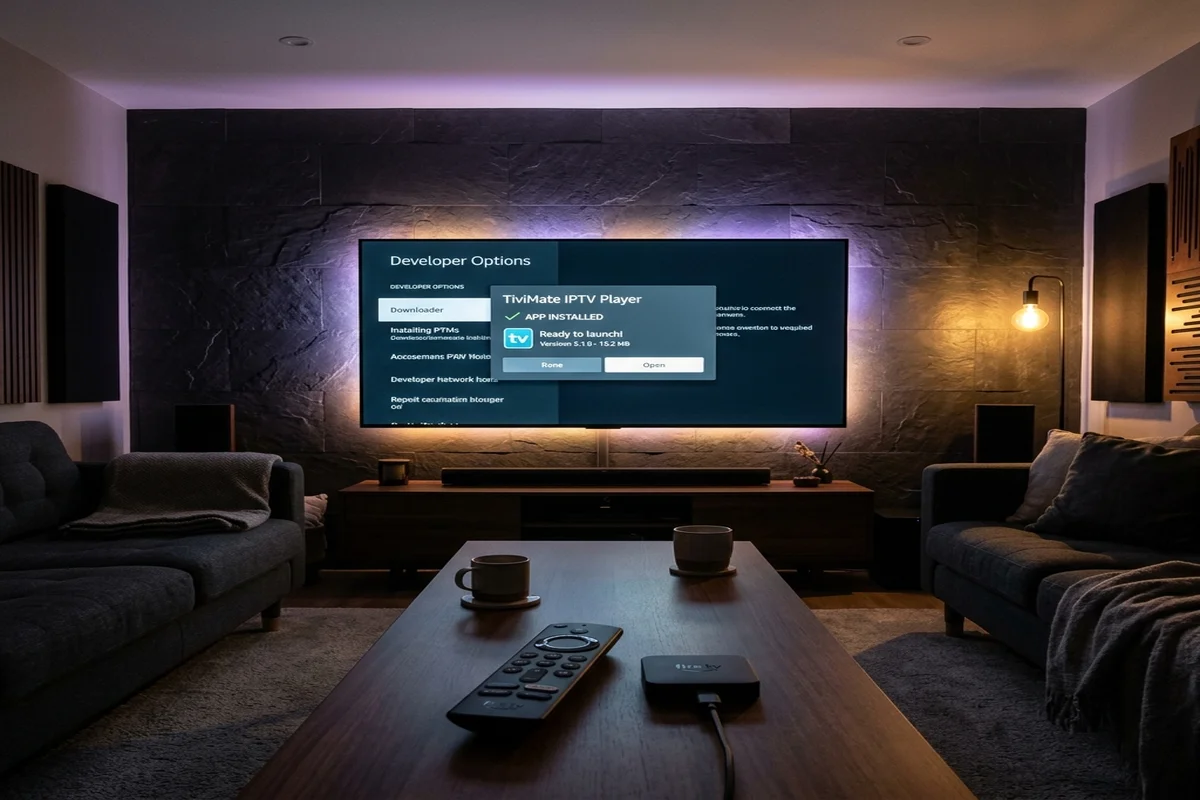
Key Takeaways: Firestick Sideloading in 2026
- ✔ Yes, Sideloading Still Works: All current Amazon Fire TV devices (Fire TV Stick 4K, 4K Max 2nd Gen, Fire TV Cube) run on Fire OS 7 or 8 (Android-based) and fully support Android APK installation via Downloader.
- ✔ The Truth About Vega OS: Amazon's proprietary Linux-based Vega OS is currently deployed on Echo Show smart displays and select third-party budget TVs. Amazon has NOT retroactively pushed Vega OS to existing Firesticks.
- ✔ Hidden Developer Options: Amazon hides Developer Options by default on all newer Fire OS software. Tapping your device name 7 times in Settings > My Fire TV > About unhides it instantly.
-
✔
Official Downloader Code: The verified Downloader shortcode for TiviMate is
272483, providing direct access to the latest release APK. - ✔ Future-Proofing: Pair your TiviMate installation with Tivimate Prime ($49.99/yr or $399 Lifetime VIP) for guaranteed high-speed streaming across Firestick, Android TV, Google TV, Apple TV, and Smart TVs.
The Myth vs. Reality: What Amazon's OS Changes Actually Mean
For over a decade, Amazon's Fire TV platform has been the king of budget cord-cutting because its underlying operating system (Fire OS) is built directly on the open-source Android codebase (AOSP). This architecture allowed users to install virtually any Android application package (.apk) with a simple utility like Downloader.
Recently, reports that Amazon is transitioning toward a proprietary web-centric operating system (internally codenamed Vega OS) caused widespread panic among media enthusiasts. Because Vega OS uses a custom Linux kernel with web runtimes (React Native) rather than Android, native Android APKs cannot run on Vega devices.
Here is the critical reality: Amazon has not converted existing Fire TV Sticks to Vega OS. Existing devices—including the Fire TV Stick 4K Max (2nd Gen), Fire TV Stick 4K (2nd Gen), Fire TV Stick Lite, and Fire TV Cube—remain on Fire OS 7 and Fire OS 8. Sideloading works just as smoothly today as it did five years ago.
2026 Streaming Hardware Sideloading Compatibility Matrix
Here is the official breakdown of sideloading capabilities across popular streaming hardware:
| Device Model | Underlying OS | APK Sideloading Support | TiviMate Compatibility | Lockout Risk |
|---|---|---|---|---|
| Fire TV Stick 4K Max (Gen 2) | Fire OS 8 (Android 11) | ✔ 100% Supported | Full 4K 60FPS | Low (Fire OS maintained) |
| Fire TV Stick 4K (Gen 2) | Fire OS 8 (Android 11) | ✔ 100% Supported | Full 4K 60FPS | Low (Fire OS maintained) |
| Fire TV Cube (3rd Gen) | Fire OS 7 (Android 9) | ✔ 100% Supported | Full 4K 60FPS | Zero (Flagship box) |
| Walmart Onn 4K Pro ($50) | Google TV (Android TV 12) | ✔ Native Play Store | Official Google Store | Zero (Pure Android TV) |
| Nvidia Shield TV Pro | Android TV 11 | ✔ Native Play Store | Peak AI Upscaling | Zero (Open Platform) |
| Future Vega OS Smart Displays | Vega OS (Custom Linux) | ❌ Blocked (No APK) | Web-only / Incompatible | High (Proprietary runtime) |
Sideloading Architecture: Fire OS vs. Future Vega OS
Understanding how Android APK packages interact with streaming hardware explains why existing Firesticks remain safe:
Streaming OS Architecture & APK Compatibility
How Android AOSP enables Downloader vs. Closed Linux environments.
4 Steps to Sideload TiviMate on Any Firestick in Under 3 Minutes
Follow this updated 2026 walkthrough to unlock Developer Options and install TiviMate smoothly:
Unhide Developer Options (The 7-Click Trick)
Amazon hides Developer Options on newer updates. Navigate to Settings → My Fire TV → About. Highlight your device name (e.g. Fire TV Stick 4K Max) and press the center remote button 7 times consecutively. A prompt will confirm: "No need, you are already a developer."
Grant Unknown Apps Permission to Downloader
Press back, click the newly revealed Developer Options menu, open Install Unknown Apps, find Downloader, and toggle it to ON.
Input Quick-Code 272483
Launch the Downloader app, enter shortcode 272483 into the URL field, and hit Go. The official TiviMate APK will download automatically. Tap Install, then click Open.
Connect to Premium Dedicated Servers
Open TiviMate, select Add Playlist → Xtream Codes, and enter your Tivimate Prime credentials. All 20,000+ live 4K channels and electronic guide data will populate in seconds.
One High-Speed Subscription for All Your Devices
Whether you stream on Amazon Firestick, Google TV, Apple TV, or Smart TVs, Tivimate Prime delivers unthrottled 4K 60FPS streams on dedicated 10Gbps anti-freeze servers with zero buffering.
Instant WhatsApp activation in under 2 minutes • 100% money-back guarantee • Fully compatible with Firestick, Onn 4K Pro, Android TV & Apple TV
Frequently Asked Questions About Firestick Sideloading
Will Amazon push an update that disables TiviMate on my current Firestick?
No. Operating system transitions from Android to proprietary Linux kernels require completely different chip drivers and partition layouts. Current Firesticks will continue running Fire OS 7 or 8 for their entire operational hardware lifecycle.
Why did Developer Options disappear from my Fire TV settings?
Amazon rolled out a firmware update that mirrors Android's developer security policy, hiding Developer Options by default. Clicking your device name 7 times in Settings > My Fire TV > About restores the menu permanently.
What is the safest fallback device if Amazon ever locks down Fire OS?
The Walmart Onn 4K Pro ($50) or Chromecast with Google TV. Both devices run pure Google TV with direct Google Play Store access, meaning TiviMate installs and updates natively without any sideloading required.
Can I transfer my Tivimate Prime account if I switch from Firestick to Google TV?
Yes. Tivimate Prime uses universal Xtream Codes and M3U architecture, allowing you to move your login credentials across Firestick, Android TV, Apple TV, and Smart TVs instantly.
The Bottom Line: Sideloading on Firestick Is Alive and Well
Don't let sensationalized headlines panic you into discarding your Firestick. As long as your device runs Fire OS, sideloading TiviMate via Downloader remains 100% functional, secure, and straightforward.
By pairing your streamer with a verified, dedicated subscription from Tivimate Prime, you guarantee buffer-free 4K 60FPS television across every device in your household.