Can You Get TiviMate on Apple TV? Best 2026 tvOS Alternatives & Setup Guide
If you have recently switched from an Amazon Firestick or Nvidia Shield to an Apple TV 4K, you likely searched the tvOS App Store for your favorite media player: TiviMate. But as thousands of cord-cutters discover each week, TiviMate does not exist on Apple TV. Because tvOS is built on a closed Apple architecture that blocks Android APK sideloading, running TiviMate directly is impossible. Here is the objective truth, the top native tvOS alternatives in 2026, and how to connect your universal server subscription with zero loss in stream quality.
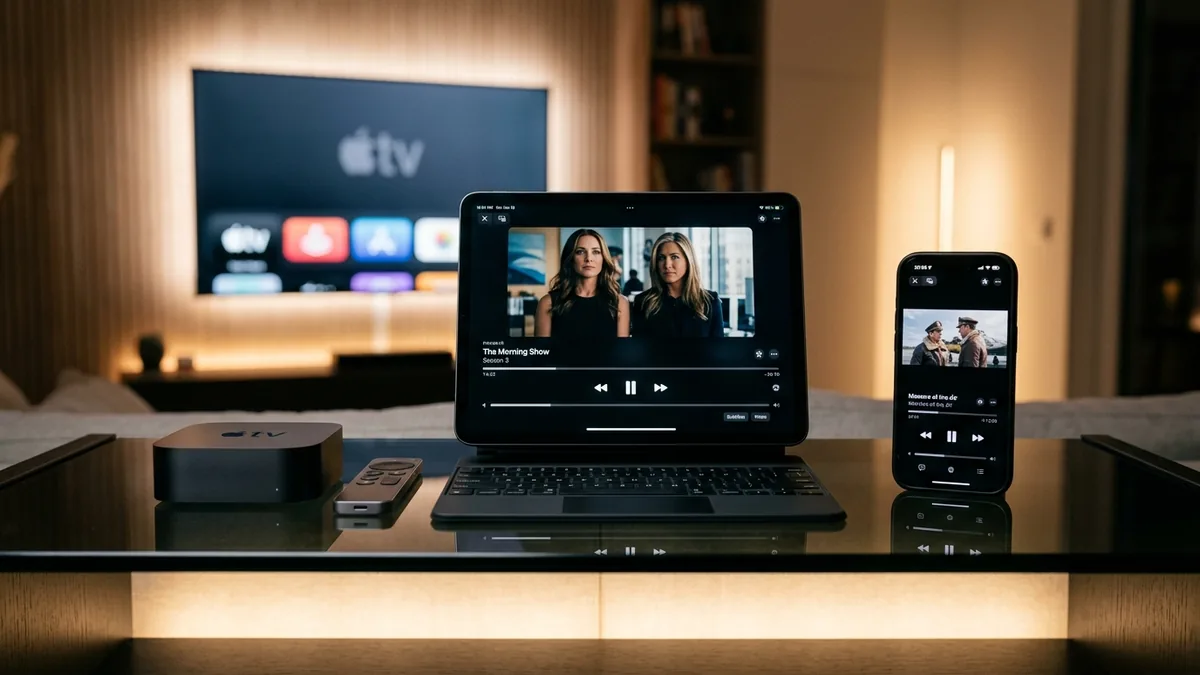
Key Takeaways: TiviMate on Apple TV in 2026
- ✔ No Native TiviMate on tvOS: TiviMate is compiled strictly for Android (APK). You cannot sideload APK files onto Apple TV or download it from the tvOS App Store.
- ✔ The Best Alternatives (IPTVX & UHF): IPTVX replicates TiviMate's EPG grid guide, multi-screen view, and category layout. UHF is built in native Swift for Apple Silicon with instant channel zapping and picture-in-picture.
- ✔ Seamless iCloud Sync: Unlike Android where you must manually backup files, Apple TV players sync playlists, EPGs, and favorites across your iPhone, iPad, and Apple TV via iCloud automatically.
- ✔ iPhone Remote Copy & Paste: Never type long URLs with your Apple TV remote. Use the iOS Control Center Remote to paste your server URL, username, and password in one second.
- ✔ Universal Cross-Platform Server Support: TiviMate Prime ($49.99/yr or $399 Lifetime VIP) provides universal credentials that work simultaneously across Apple TV, Firestick, Android TV, and Smart TVs.
Why Doesn't TiviMate Exist on Apple TV?
TiviMate was engineered from the ground up by developer Armobsoft FZE to take advantage of Google's Android TV Leanback library and Android media codecs (ExoPlayer). Because Apple TV operates on tvOS—a heavily sandboxed, Unix-based operating system that exclusively runs Apple-compiled binaries (Swift/Objective-C)—porting TiviMate would require rebuilding the entire application codebase from scratch.
Furthermore, Apple's strict App Store guidelines require deep integration with native tvOS frameworks like AVFoundation. The good news? The Apple TV 4K hardware (A15 Bionic processor, 4GB RAM, and Gigabit Ethernet) is significantly more powerful than any budget streaming dongle. Pairing this hardware with the right tvOS player produces a viewing experience that rivals—and in some ways exceeds—TiviMate.
The Top TiviMate Alternatives on Apple TV (2026 Comparison)
Here is how the leading native tvOS streaming media players stack up against TiviMate's core feature set:
| tvOS Player | UI Similarity to TiviMate | Channel Zapping Speed | iCloud Multi-Device Sync | Key Advantage |
|---|---|---|---|---|
| IPTVX | 95% (Closest Match) | Very Fast (0.6s) | Full iCloud Sync | Cable-like EPG grid guide, multi-screen viewing, Netflix-style VOD layout |
| UHF | 90% (Modern Apple UI) | Instant (0.3s) | Full iCloud Sync | Built strictly in native Swift, picture-in-picture (PiP), zero background lag |
| NextGen IPTV Pro | 85% (Clean Guide) | Fast (0.7s) | Manual Export | Advanced audio passthrough and automatic XMLTV guide indexing |
| Smarters Player Lite | 65% (Basic Dashboard) | Moderate (1.2s) | None | Familiar cross-platform interface; free App Store download |
System Architecture: Cross-Platform Streaming Ecosystem
The biggest advantage of modern streaming subscriptions is protocol universality. Your server credentials are not tied to a single app:
Universal Cross-Platform Server Architecture
Single server subscription powering both Android TV and Apple tvOS ecosystems simultaneously
Step-by-Step Setup: Getting TiviMate-Grade Streaming on Apple TV
Setting up your live TV service on Apple TV takes less than three minutes using the native tvOS App Store:
Download IPTVX or UHF from the Apple TV App Store
Turn on your Apple TV 4K and launch the App Store. Use Siri search on your remote and dictate "IPTVX" or "UHF Player". Select Get to install the application. Both apps are officially approved by Apple and require zero sideloading or Developer Mode workarounds.
Open the iPhone Apple TV Remote for Instant Copy & Paste
Instead of painfully typing long URLs with the Apple TV remote, swipe down the Control Center on your iPhone or iPad and tap the Apple TV Remote tile. When your Apple TV displays an input box, your iPhone keyboard will appear automatically, allowing you to paste your credentials in one tap.
Select Xtream Codes API & Enter Server Details
Launch IPTVX or UHF and click Add Playlist > Xtream Codes API. Enter your server credentials provided by TiviMate Prime:
- • Server URL: Your dedicated high-speed server domain and port.
- • Username: Your personal account identifier.
- • Password: Your private access token.
Enable Hardware Decoding & Match Dynamic Range
In your Apple TV system settings, navigate to Video and Audio > Match Content. Turn both Match Dynamic Range and Match Frame Rate to ON. Then inside your player settings, verify that Hardware Acceleration is active. This enables the A15 Bionic chip to decode raw 4K 60FPS streams with zero frame dropping.
One High-Speed Subscription Across Apple TV & Firestick
Don't lock yourself into a single device. TiviMate Prime provides universal credentials compatible with Apple TV, Firestick, Android TV, Google TV, and Smart TVs. Experience 20,000+ live 4K channels with zero buffering.
Instant WhatsApp activation under 2 minutes • 100% money-back guarantee • Dedicated 10Gbps load-balanced anti-freeze streaming servers
Frequently Asked Questions About Apple TV & TiviMate
Is TiviMate available on the Apple TV App Store?
No. TiviMate is developed exclusively for Android TV, Google TV, and Amazon Fire OS. Because Apple's tvOS is a proprietary closed environment that does not support Android APK installation, TiviMate cannot be downloaded or sideloaded onto Apple TV.
What is the best alternative to TiviMate on Apple TV 4K?
The two best Apple TV alternatives are IPTVX and UHF. IPTVX provides a cable-like EPG grid guide, multi-screen viewing, and iCloud sync. UHF is built natively in Swift for Apple Silicon, offering sub-second channel zapping and picture-in-picture (PiP).
Can I use my TiviMate Prime subscription credentials on Apple TV?
Yes! TiviMate Prime provides universal Xtream Codes API credentials (Server URL, Username, and Password) and M3U links. You can log into IPTVX, UHF, or Smarters on your Apple TV and enjoy your full 20,000+ live 4K channel catalog seamlessly.
Does Apple TV 4K stream faster than Firestick for live television?
Yes. The Apple TV 4K is powered by Apple's A15 Bionic processor and features a dedicated Gigabit Ethernet port. When running native tvOS players like UHF, channels load with near-instant hardware decoding and zero UI stutter.
The Verdict: Enjoy Premium Live TV on Your Apple Hardware
While it is disappointing that TiviMate does not have a native tvOS port, modern Apple TV alternatives like IPTVX and UHF deliver an elite, lightning-fast viewing experience that takes full advantage of Apple's flagship silicon.
By backing your Apple TV setup with TiviMate Prime, you receive bulletproof 10Gbps stream pipes, universal multi-device access, and guaranteed buffer-free 4K 60FPS television across every screen in your home.